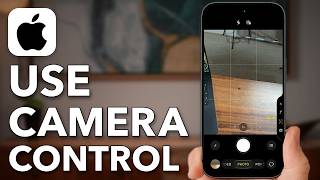
How To Use Camera Control On iPhone 18 & 18 Pro
Description: Download the full PDF guide for this video (free): https://trevornace.com/how-to-use-camera-control-on-iphone-18-18-pro/
Use the Camera Control button on the iPhone 18 and iPhone 18 Pro.
Camera Control does much more than open the camera. One press takes photos and videos, a light press and swipe changes zoom and depth of field, and a press and hold opens Visual Intelligence to search or ask about anything you point at.
The Camera Control settings change what the button opens, switch it to double click and let you pick your own controls.
Shown on an iPhone 18 Pro running iOS 27. Visual Intelligence requires an iPhone 15 Pro or later.
0:00 iPhone Camera Control
0:10 Take Photos With One Press
0:54 Zoom Without The Screen
2:00 Look Things Up By Photo
3:12 If Camera Control Fails
4:16 Pick Your Own Controls
4:57 Turn On Visual Intelligence
MORE HELP
Official website: https://trevornace.com/iphone/
Have an Android phone? Check out my Android channel: https://www.youtube.com/@trevorsandroid
Subscribe: https://www.youtube.com/@trevornace?sub_confirmation=1
TikTok: https://www.tiktok.com/@trevornace1
Facebook: https://www.facebook.com/trevornace10/
Instagram: https://www.instagram.com/trevornaceyoutube
I hope this video helped. If you're still stuck, leave a comment below and I'll try to help. Close description