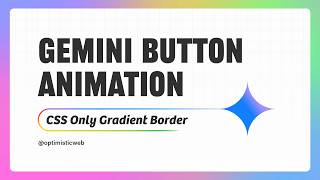
Gemini's gradient border animation is just CSS!
Description: Google's Gemini button effect looks tricky, but you can build the whole thing in pure CSS using custom properties and conic gradients.
👉 *CSS Grid 101* https://www.youtube.com/watch?v=xR23ktLwvrg&list=PLehZRc1z6b6HkfhqouM4wH4-peS7KBjP1
Most devs overcomplicate these glow animations with heavy JavaScript or an annoying stack of wrapper elements. I kept seeing that rotating gradient border on Google's Gemini buttons and assumed it was some canvas or SVG trick hiding under the hood. Nope. It's plain CSS with conic-gradient, pseudo-elements, and custom properties doing all the heavy lifting. The key trick here is using @property to tell the browser how to actually animate the angle, meaning you get a smooth spinning effect on a single button without extra HTML bloat. It's easily my favorite pattern to steal for glowing borders 🔥
Are you actually using @property in your CSS builds yet? Let me know in the comments below.
Live Demo: https://codepen.io/editor/optimisticweb/pen/019faa5c-089e-7e8e-9b73-ddd0b63e5e21?show=preview
Related Topics
-----------------------------------------------------
- Learn CSS Border Animations in 6 Minutes
- Create Stunning CSS Border Animations in 5 Minutes!
- CSS border animation
- How to create a GRADIENT BORDER in CSS Tutorial
- Make an animated glowing border effect with CSS
Chapters
-----------------------------------------------------
00:00 Intro
00:55 Setting up the button
02:45 Using custom properties for the animation
Subscribe and never miss a beat
-----------------------------------------------------
🔔 Subscribe for more videos like this: https://www.youtube.com/@OptimisticWeb?sub_confirmation=1
Learn at your own pace
-----------------------------------------------------
- HTML - https://www.youtube.com/playlist?list=PLehZRc1z6b6Gjiz-At0zmnpUMm5g25CQg
- CSS - https://www.youtube.com/playlist?list=PLehZRc1z6b6Fu0H0iwtfiJyQBpB9S8Nfm
- CSS Grid Layout - https://www.youtube.com/playlist?list=PLehZRc1z6b6HkfhqouM4wH4-peS7KBjP1
- CSS Masking - https://www.youtube.com/playlist?list=PLehZRc1z6b6HyKgP7X_uAb0L5yx8W8FDJ
- JavaScript - https://youtube.com/playlist?list=PLehZRc1z6b6G0GS6HMDgAODX-jt2CvLR6
Connect, share, and grow
-----------------------------------------------------
- YouTube: https://www.youtube.com/@OptimisticWeb
- Bluesky: https://bsky.app/profile/optimisticweb.com
- X (Twitter): https://twitter.com/optimisticweb
- Instagram: https://www.instagram.com/optimisticweb
- Facebook: https://www.facebook.com/optimisticweb
- CodePen: https://codepen.io/optimisticweb
#css #cssanimation #gradient #frontendtutorial #csstricks #frontenddevelopment #webdevelopment #csstips #cssforbeginners #learncss #optimisticweb Close description