SAMSUNG Galaxy Note 10+ Exynos - Unlock Bootloader
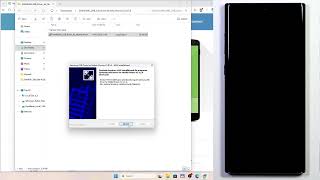
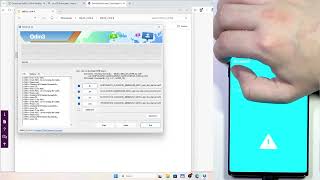
Description: Unlocking the bootloader on your SAMSUNG Galaxy Note10+ lets you install custom software, but it triggers an immediate factory reset that wipes everything. In this video I show you how to get there without losing your data permanently by backing up first. You'll start by connecting to Wi-Fi and navigating through Settings → About Phone → Software Information, then tapping the build number repeatedly until Developer Mode is enabled. Go back to Developer Options and enable OEM Unlocking. You must power off the device, hold Volume Down and Power to access the menu, then press Volume Up and Volume Down while connecting a USB cable to enter Download Mode. Confirm the unlock by pressing Volume Up when prompted. This process wipes your phone completely, so creating a backup of your data beforehand is essential.
How to unlock bootloader on SAMSUNG Galaxy Note10+?
How to enable OEM Unlocking on SAMSUNG Galaxy Note10+?
Does unlocking the bootloader erase all data on SAMSUNG Galaxy Note10+?
0:00 Intro - SAMSUNG Galaxy Note10+ bootloader unlock guide
0:06 Requirements - Wi-Fi connection and initial navigation
0:19 Enable Developer Options via Build Number tap
0:33 Enable OEM Unlocking feature warning
0:38 Factory reset warning and data backup advice
0:59 Enter Download Mode with volume keys and cable
1:41 Confirm bootloader unlock in Download Mode
4:37 Post-unlock setup - language and Wi-Fi configuration
4:53 Skip Wi-Fi during initial setup for speed
5:21 Reconnect to Wi-Fi after setup
5:49 Re-enable Developer Options by tapping Build Number
6:01 Check for updates to reveal OEM Unlocking option
6:35 Verify Bootloader is unlocked in Developer Options
6:44 Outro - like, comment and subscribe
#Samsung #GalaxyNote10Plus #BootloaderUnlock #Android
Find out more:
https://www.hardreset.info/devices/samsung/samsung-galaxy-note10-plus-exynos/
Follow us on Instagram ► https://www.instagram.com/hardreset.info
Like us on Facebook ► https://www.facebook.com/hardresetinfo/
Tweet us on Twitter ► https://twitter.com/HardResetI
Support us on TikTok ► https://www.tiktok.com/@hardreset.info
Use Reset Guides for many popular Apps ► https://www.hardreset.info/apps/apps/ Close description
How to unlock bootloader on SAMSUNG Galaxy Note10+?
How to enable OEM Unlocking on SAMSUNG Galaxy Note10+?
Does unlocking the bootloader erase all data on SAMSUNG Galaxy Note10+?
0:00 Intro - SAMSUNG Galaxy Note10+ bootloader unlock guide
0:06 Requirements - Wi-Fi connection and initial navigation
0:19 Enable Developer Options via Build Number tap
0:33 Enable OEM Unlocking feature warning
0:38 Factory reset warning and data backup advice
0:59 Enter Download Mode with volume keys and cable
1:41 Confirm bootloader unlock in Download Mode
4:37 Post-unlock setup - language and Wi-Fi configuration
4:53 Skip Wi-Fi during initial setup for speed
5:21 Reconnect to Wi-Fi after setup
5:49 Re-enable Developer Options by tapping Build Number
6:01 Check for updates to reveal OEM Unlocking option
6:35 Verify Bootloader is unlocked in Developer Options
6:44 Outro - like, comment and subscribe
#Samsung #GalaxyNote10Plus #BootloaderUnlock #Android
Find out more:
https://www.hardreset.info/devices/samsung/samsung-galaxy-note10-plus-exynos/
Follow us on Instagram ► https://www.instagram.com/hardreset.info
Like us on Facebook ► https://www.facebook.com/hardresetinfo/
Tweet us on Twitter ► https://twitter.com/HardResetI
Support us on TikTok ► https://www.tiktok.com/@hardreset.info
Use Reset Guides for many popular Apps ► https://www.hardreset.info/apps/apps/ Close description