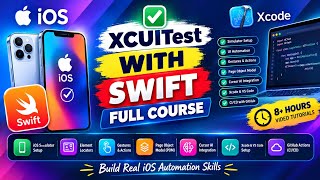
XCUITest Full Course 2026 | Complete iOS Automation Testing Masterclass
Description: Master native iOS UI Automation Testing with XCUITest and Swift in this complete 8-hour comprehensive masterclass for 2026! 🚀
From setting up your iOS simulator and writing your first test script to building a scalable Page Object Model (POM) framework and integrating Cursor AI, this complete course covers everything you need to become an expert in native iOS test automation.
📌 Complete Course on Udemy:
https://www.udemy.com/course/xcuitest-for-ios-ui-automation-using-swift/?referralCode=0BD7791309EB2F26E99D
⏱️ Timestamps:
00:00:00 iOS App Testing – GitHub Setup, Simulator Installation & App Exploration
00:09:40 XCUITest Setup – UI Test Bundle, XCTest & XCTestCase Overview
00:17:14 XCUITest – XCUIApplication & Launching an iOS App
00:28:58 XCUITest – Test & Launch Installed Apps Without Source Code
00:47:13 XCUITest – Record UI Test Scripts Using Built-In Recording
00:58:05 XCUITest – Object Identification & Basic Scripting Using Debugging Mode
01:10:42 XCUITest – Text Field Handling with Practical Examples | Part 1
01:23:28 XCUITest – Text Field Example & Button Identification Using firstMatch
01:37:43 XCUITest – Retrieve Text Field Value with Examples
01:49:28 XCUITest – Handling Switches & Reading Switch Values
02:00:48 XCUITest – Selecting Values from Dropdowns
02:11:53 XCUITest – Date Picker Automation with Dynamic Date Selection
02:27:18 XCUITest – Handling Checkboxes with Practical Examples
02:34:01 XCUITest – Handling Duplicate Elements Using Index
02:42:39 XCUITest – Handling Duplicate Elements Using Matching boundBy
02:51:23 XCUITest – Accessibility Inspector: Element Identification & Alert Handling
03:03:50 XCUITest – Handling Picker Views with Practical Examples
03:14:27 XCUITest – Handling Sliders & Capturing Element Label Attributes
03:23:44 XCUITest – Swipe Gestures: Left, Right, Up & Down
03:30:29 XCUITest – Left & Right Swipe Gestures with Velocity
03:33:44 XCUITest – Swipe Left from an Element with Example
03:39:48 XCUITest – Vertical Swipe Until an Element Is Found
03:49:03 XCUITest – VS Code Setup & Running Tests with xcodebuild
04:06:17 XCUITest – Cursor Setup with VS Code tasks.json for Test Execution
04:18:45 XCUITest with Cursor AI – Generate & Execute UI Tests Using Chat
04:24:44 XCUITest with Cursor AI – Generate & Execute Scripts for 6 Alert Types
04:33:14 XCUITest – Handling Long Press Gestures with Examples
04:38:38 XCUITest – Handling Double Tap Gestures with Examples
04:41:40 XCUITest – Drag & Drop Gestures with Practical Examples
04:46:55 XCUITest – Assertions with XCTAssertTrue, XCTAssertFalse & exists
04:59:18 XCUITest – XCTAssertEqual, XCTAssertNotEqual & Count Assertions
05:05:10 XCUITest – XCTAssertEqual, GreaterThan & LessThan Assertions
05:12:14 XCUITest – waitForExistence() with Practical Examples
05:17:42 XCUITest – Capture Screenshots & Videos Using Edit Scheme
05:26:17 XCUITest – Capture Screenshots Using Code
05:31:13 XCUITest – Coordinate-Based Tapping: Corners & Center
05:42:14 XCUITest – Capture Element Coordinates Using Frame
05:49:26 XCUITest – Launch Safari & Open a Web Application
05:58:40 Capture Coordinates of an Element & Perform Drag and Drop Operation
06:04:00 XCUITest – Delete Text Character by Character from a Text Field
06:10:31 XCUITest – Delete Text Using Select All & Menu Items
06:15:05 XCUITest – Delete Text Using Long Press on Delete Button
06:16:54 XCUITest – Enter Text Character by Character into a Text Field
06:21:15 XCUITest – NSPredicate with Practical Examples
06:31:06 Handle SauceDemo Login flow on Safari Browser
06:40:41 XCUITest – Page Object Model (POM) Framework Overview
06:48:40 XCUITest POM Framework – Base Class, Setup & Teardown
06:58:19 XCUITest POM Framework – Creating Page Objects
07:06:15 XCUITest POM Framework – Create, Execute & Validate Test Cases
07:13:03 XCUITest POM Framework – Automate Login Flow
07:21:20 XCUITest with Cursor AI – Generate & Implement Logout Logic
07:34:31 XCUITest with Cursor AI – Create Reusable Utility Methods for Gestures
07:39:44 Handling Cells, IPhoneSetting & Delete Safari History
07:46:02 How to Turn On / Turn Off Bluetooth on iPhone using XCUITest
07:54:48 How to Turn On / Turn Off Bluetooth on iPhone using XCUITest Part 2
07:56:16 How to Turn On / Turn Off WIFI on iPhone using XCUITest
07:59:05 XCUIDevice - Press Home button
08:01:30 Widgets Handling
#XCUITest #iOSAutomation #SwiftTesting #MobileAutomation #QAAutomation #SoftwareTesting #XCTest Close description