One Sentence: Claude Code Chrome Extension
Description: Claude Code Chrome extension test: we gave Claude Code one sentence, and it built a working dark mode button for every website in 75 seconds.
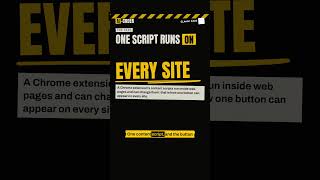
Our real test: one claude -p prompt in an empty folder, Claude Code's default settings. It wrote 3 files (manifest.json, dark.css, content.js) and checked its own JavaScript, but it never opened Chrome. We loaded it in Chromium: the moon button turns any site dark, and it remembers the choice for each site. The catch: it inverts colours, so pale drawings glare white, and it has no icon yet.
Try it: open chrome://extensions, switch on Developer mode, click Load unpacked and pick the folder.
The prompt we used:
Make a Chrome extension that adds a small moon button to every website; clicking it switches the page to dark mode and back, and it remembers the choice for each site.
Sources:
https://developer.chrome.com/docs/extensions/develop/concepts/content-scripts
https://developer.chrome.com/docs/extensions/get-started/tutorial/hello-world
https://code.claude.com/docs/en/headless
Screen recordings: our own test in Chromium, on https://developer.chrome.com/docs/extensions/get-started
Terminal: our own replay of the real Claude Code run, sped up
#claudecode #chromeextension #aicoding Close description