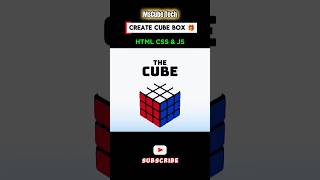
Cube Puzzle Game 🎮 Using HTML CSS & JavaScript | Interactive Game Development | MsCube Tech #shorts
Description: In this complete tutorial, you’ll learn how to create an interactive Cube Puzzle Game using HTML, CSS, and JavaScript, explained step by step by MSCube Tech. This project is perfect for beginners, students, and front-end developers who want to learn game logic, UI interaction, and JavaScript problem-solving through a fun and practical project.
A cube puzzle game helps you understand how user input, animations, game states, and logic work together in real web applications. In this video, we start from the basic structure and gradually build a fully functional puzzle game that runs directly in the browser without any external libraries.
What You Will Learn in This Video
You’ll learn how to:
Structure a game layout using HTML
Design a clean and responsive game UI with CSS
Create cube blocks and grid-based layouts
Add smooth transitions and animations
Handle user clicks and interactions
Write game logic using JavaScript
Check win conditions and reset the game
Improve performance and user experience
All concepts are explained clearly so you don’t just copy code, but actually understand how the game works internally.
Why This Cube Puzzle Game Is Important
Puzzle games are excellent for learning logical thinking and JavaScript fundamentals. This project teaches you:
DOM manipulation
Event handling
Conditional logic
State management
Basic animation techniques
These are core skills required for front-end development, web apps, and interactive websites.
Who Should Watch This Video
This tutorial is ideal for:
Beginners learning JavaScript
Computer science students
Web development learners
Front-end developers
Anyone interested in game development with JavaScript
No prior game development experience is required.
Real-World Benefits
After completing this tutorial, you’ll be able to:
Build your own browser games
Add interactive projects to your portfolio
Improve logic-building skills
Create engaging UI-based applications
This cube puzzle game can be extended further with levels, timers, scoring systems, sound effects, and animations, making it a great foundation project.
If you enjoy creative coding, JavaScript games, and interactive UI projects, don’t forget to like the video, subscribe to MSCube Tech, and share it with other learners.
#MSCubeTech #HTML #CSS #JavaScript #PuzzleGame #CubeGame #GameDevelopment #FrontendDevelopment #WebGame #JavaScriptGame #CodingTutorial #Programming #LearnJavaScript #InteractiveGame #WebDeveloper #CodingProjects #ViralCoding Close description