JavaScript Final Project: Build a Quiz App | JavaScript Tutorial #15
Description: This is it, the final episode of the BentHub JavaScript course! We build a complete quiz app from scratch, using everything you've learned 🚀
In this video, you'll learn:
✅ Planning a real project: HTML, CSS, JSON and JavaScript files
✅ Storing quiz questions as an array of objects in JSON
✅ Tracking the game with variables
✅ Building answer buttons with a loop and events
✅ Checking answers and styling right and wrong with classList
✅ Preventing double scoring with a simple true/false flag
✅ Saving the best score with localStorage
✅ Loading the questions with fetch, async/await and try/catch
🎯 Your final challenge:
Add your own question to quiz.json. Give it four answers and set the right index. Refresh, and your quiz grows without changing a single line of JavaScript!
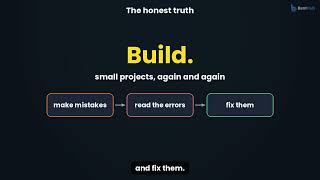
▶️ What's next: keep building small projects. When you're ready, learn Git to save versions of your code, and frameworks like React that build on everything you learned here.
⏱️ Chapters:
0:00 Intro
0:15 What we're building
0:28 Everything it uses
0:41 Creating the files
0:51 quiz.html
1:09 quiz.json: the questions
1:26 style.css: right and wrong
1:36 quiz.js: grabbing the elements
1:45 Variables that track the game
1:58 Loading the best score
2:09 showQuestion()
2:25 Building answer buttons with a loop
2:43 checkAnswer()
3:07 showFinal() and saving the best score
3:25 The Next button
3:37 loadQuiz(): fetching the questions
3:54 Testing the quiz
4:36 You did it!
4:44 Your JavaScript journey
4:59 What's next
5:18 Your final challenge
5:30 Thank you!
🔔 Subscribe and follow BentHub for more coding tutorials, made simple.
Understand programming. Code with confidence.
#JavaScript #LearnJavaScript #LearnToCode #WebDevelopment #JavaScriptTutorial #CodingForBeginners #BentHub Close description
In this video, you'll learn:
✅ Planning a real project: HTML, CSS, JSON and JavaScript files
✅ Storing quiz questions as an array of objects in JSON
✅ Tracking the game with variables
✅ Building answer buttons with a loop and events
✅ Checking answers and styling right and wrong with classList
✅ Preventing double scoring with a simple true/false flag
✅ Saving the best score with localStorage
✅ Loading the questions with fetch, async/await and try/catch
🎯 Your final challenge:
Add your own question to quiz.json. Give it four answers and set the right index. Refresh, and your quiz grows without changing a single line of JavaScript!
▶️ What's next: keep building small projects. When you're ready, learn Git to save versions of your code, and frameworks like React that build on everything you learned here.
⏱️ Chapters:
0:00 Intro
0:15 What we're building
0:28 Everything it uses
0:41 Creating the files
0:51 quiz.html
1:09 quiz.json: the questions
1:26 style.css: right and wrong
1:36 quiz.js: grabbing the elements
1:45 Variables that track the game
1:58 Loading the best score
2:09 showQuestion()
2:25 Building answer buttons with a loop
2:43 checkAnswer()
3:07 showFinal() and saving the best score
3:25 The Next button
3:37 loadQuiz(): fetching the questions
3:54 Testing the quiz
4:36 You did it!
4:44 Your JavaScript journey
4:59 What's next
5:18 Your final challenge
5:30 Thank you!
🔔 Subscribe and follow BentHub for more coding tutorials, made simple.
Understand programming. Code with confidence.
#JavaScript #LearnJavaScript #LearnToCode #WebDevelopment #JavaScriptTutorial #CodingForBeginners #BentHub Close description


