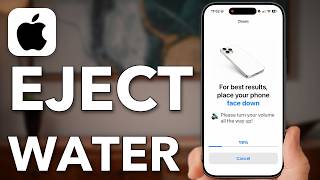
How To EJECT Water From Your iPhone!!
Description: Eject water from your iPhone speakers and charging port safely, and avoid the mistakes that make water damage worse.
Water and sticky drinks like juice need different handling, and a liquid detected warning means you should not charge the phone until it is fully dry. A water eject website in Safari or Chrome plays sound frequencies that push water out of the speaker, with no app to install.
If the sound is still muffled, a water eject app from the App Store can play louder. Afterwards, air dry the iPhone near a fan instead of putting it in rice.
Shown on an iPhone with USB-C, and the same steps apply to Lightning iPhones.
0:00 Eject Water From iPhone
1:14 Don't Charge A Wet iPhone
1:42 Push Water Out With Sound
3:31 If Water Is Still Inside
4:35 Air Dry Instead Of Rice
I hope this video helped you. If it did, the best way you can say thank you is to hit the like and subscribe button :)
My name is Trevor Nace, and I've been making tech tutorials for years, focusing on helping you solve your "how to" problems on iPhone, Android, iPad, Mac, and PC. So whether you're on a phone or computer and you run into an issue, I hope this video helped you.
If you're still having trouble, leave a comment below or go to my channel page and send me an email directly. I look forward to hearing from you! Close description
Water and sticky drinks like juice need different handling, and a liquid detected warning means you should not charge the phone until it is fully dry. A water eject website in Safari or Chrome plays sound frequencies that push water out of the speaker, with no app to install.
If the sound is still muffled, a water eject app from the App Store can play louder. Afterwards, air dry the iPhone near a fan instead of putting it in rice.
Shown on an iPhone with USB-C, and the same steps apply to Lightning iPhones.
0:00 Eject Water From iPhone
1:14 Don't Charge A Wet iPhone
1:42 Push Water Out With Sound
3:31 If Water Is Still Inside
4:35 Air Dry Instead Of Rice
I hope this video helped you. If it did, the best way you can say thank you is to hit the like and subscribe button :)
My name is Trevor Nace, and I've been making tech tutorials for years, focusing on helping you solve your "how to" problems on iPhone, Android, iPad, Mac, and PC. So whether you're on a phone or computer and you run into an issue, I hope this video helped you.
If you're still having trouble, leave a comment below or go to my channel page and send me an email directly. I look forward to hearing from you! Close description