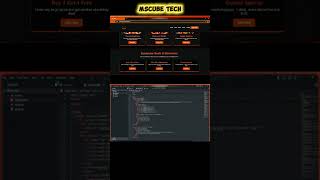
Deadpool Hero Section Using HTML CSS & JavaScript | Deadpool Theme UI 🔥 | MsCube Tech #shorts
Description: In this video, you’ll learn how to create a modern and eye-catching Hero Section using HTML, CSS, and JavaScript, inspired by a Deadpool theme design, explained step by step by MSCube Tech. This tutorial is perfect for front-end developers, UI designers, students, and beginners who want to build visually powerful website sections that grab attention instantly.
A hero section is the first and most important part of any website. It represents branding, creativity, and user experience. In this tutorial, we focus on building a professional hero section layout that includes a bold background, stylish typography, smooth animations, interactive elements, and a visually striking Deadpool image integration.
We start by structuring the hero section using semantic HTML, ensuring clean and readable markup. Then we move into CSS styling, where we design a modern layout using Flexbox, responsive units, gradients, overlays, and positioning techniques. You’ll learn how to properly place and style a character image like Deadpool without breaking responsiveness.
After that, we enhance the UI with JavaScript interactions, such as button effects, animations, or dynamic text behavior, to make the hero section feel alive and engaging. All concepts are explained clearly so you understand not just what to do, but why it’s done.
This project is ideal for:
Portfolio websites
Landing pages
Movie or character-themed designs
Creative front-end practice
UI/UX inspiration
Deadpool-style hero sections are visually strong and perform extremely well in YouTube videos, Shorts, and coding reels, making this tutorial perfect for developers who want both skills and visibility.
By the end of this video, you’ll be able to create:
A fully responsive hero section
A professional layout using HTML & CSS
Smooth UI effects with JavaScript
Reusable hero design for real projects
If you enjoy creative web design, modern UI development, and practical coding tutorials, make sure to like the video, subscribe to MSCube Tech, and share it with other developers.
#MSCubeTech #HeroSection #HTML #CSS #JavaScript #FrontendDevelopment #WebDesign #UIUX #ResponsiveDesign #Deadpool #CreativeWebDesign #LandingPage #CodingTutorial #WebDeveloper #Programming #LearnHTML #LearnCSS #LearnJavaScript #ViralCoding #ModernUI Close description